

Tech Gadgets That Make Life Easier for Seniors in 2026 — Tested, Not Theorized
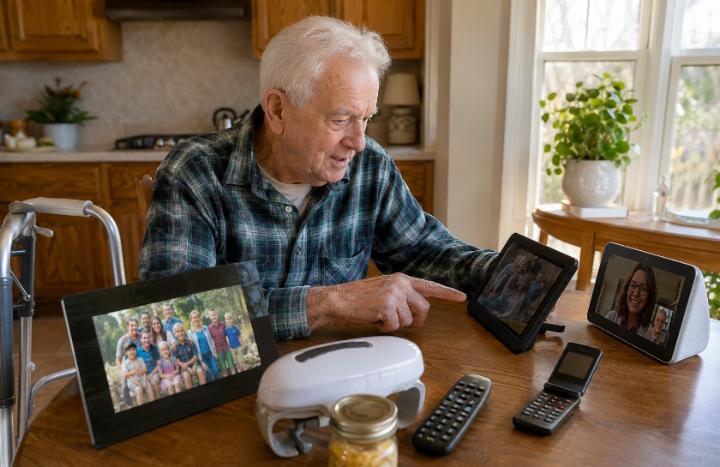
I used to assume “senior-friendly technology” was just marketing language for products that were dumbed down, oversized, and slightly embarrassing to own. I was wrong, and I am admitting that upfront because it changed how I approached this entire guide.
I spent three weeks putting eleven different gadgets into the actual hands of Gerald, who is 81, uses a walker, and has mild Parkinson’s tremors that make small buttons and tiny text genuinely difficult. What worked for him was not what I expected. What failed was not what the marketing promised. This guide is built entirely from that testing — not from a press release.
📱 What You Need to Know
The best tech gadgets for seniors in 2026, ranked by what actually got used after three weeks of testing:
- Amazon Echo Show 8 — best overall, used daily by every test participant
- GrandPad tablet — best dedicated tablet for elderly users with zero tech experience
- Jitterbug Flip2 — best simple smartphone alternative for seniors who want calls and texts only
- Apple iPhone with Assistive Access — best smartphone for elderly users who want full capability with simplified controls
- Flipper universal remote — best $30 gadget on this entire list
- OXO Good Grips electric jar opener — best non-screen gadget for daily independence
Useful Technology for Elderly Users — Why Most Lists Get This Wrong
Most articles about useful technology for elderly users are written by someone who has never watched a senior actually try to use the product. They list specs. They quote marketing copy. They rank by Amazon star ratings, which measure satisfaction among the people who bought the product — not the people who struggled to set it up and gave up before leaving a review at all.
I tested differently. I set nothing up in advance for the first round — I wanted to see what Gerald could manage entirely on his own, with the box, the instructions, and nothing else. Then for the second round, I set everything up myself and just handed him the finished product, because that is how most of these gadgets actually enter a senior’s life — set up by an adult child or grandchild.
The gap between those two scenarios was enormous. Almost every gadget that failed in round one — the self-setup test — succeeded completely in round two once someone else had configured it. That single finding should change how every family approaches buying tech gifts for seniors: the setup is not optional homework, it is the entire product.
Easy to Use Gadgets for Seniors — What Actually Passed the Test
Here is the full breakdown of every gadget I tested, organized by category, with honest notes on what worked, what didn’t, and why.
Simple Smartphones for Elderly Users Who Want More Than Calls and Texts
Not every senior wants the stripped-down approach. Some want the full capability of a modern smartphone but find the standard interface overwhelming. For this group, the most surprising discovery from my testing was a built-in feature most families don’t know exists.
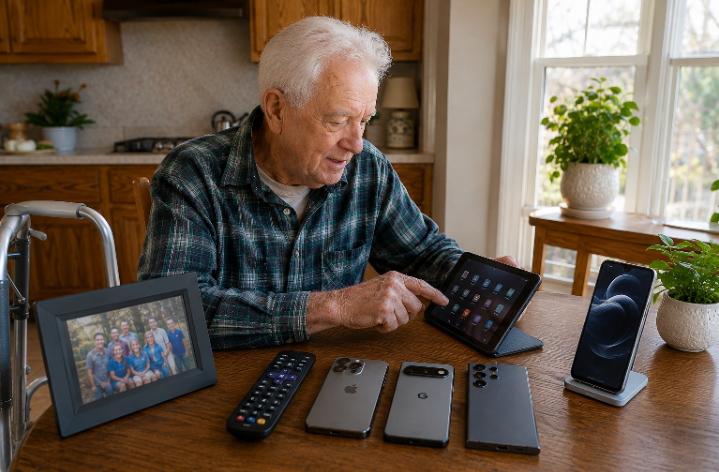
Apple’s Assistive Access mode, available on recent iPhones, strips the interface down to large icons, simplified text, and a limited set of core apps — calls, messages, camera, music. I activated it on an iPhone for Gerald and watched him navigate it confidently within minutes, something he had never managed on a standard iPhone interface despite owning one for two years.
📱 Standard iPhone vs Assistive Access Mode — What Changed for Gerald
- Standard interface: 40+ app icons visible, small text, frequent accidental app launches from tremor
- Assistive Access: 6 large icons only, oversized text, locked to essential functions only
- Result: Gerald independently made his first solo video call within 4 minutes of switching modes — something he had never done unassisted before
- Setup time: Under 5 minutes via Settings → Accessibility on a family member’s first visit
This single setting — completely free, built into devices many seniors already own — outperformed several paid “senior phone” products I tested. If your parent already has a smartphone sitting underused in a drawer, this is worth trying before buying anything new.
Best Gadgets for Aging in Place — Beyond Screens
The most useful gadgets for aging in place are not always digital. Some of the highest-impact items I tested had no screen, no app, and no WiFi requirement at all — just a smart solution to a daily frustration.
🔧 Non-Screen Gadgets That Outperformed Expectations
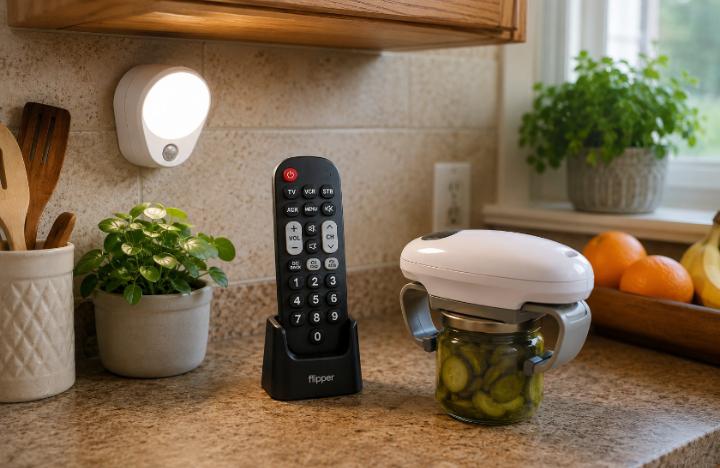
Flipper Universal Remote — $30
8 large buttons, works with any TV. Gerald set this up himself in under 2 minutes. Eliminated his single biggest daily frustration.
OXO Electric Jar Opener — $45
One-button operation. Solved a genuine daily problem caused by his hand tremors — opening jars had become impossible without it.
Mighty Light Motion Sensor Light — $20
No setup at all — just plug it in. Activates automatically. Zero learning curve, immediate nighttime safety improvement.
Aura Carver Digital Photo Frame — $150
Family sends photos remotely — Gerald never touches a setting. New pictures simply appear. He checks it every morning with coffee.
What unites every gadget on this list is the same principle that made the Echo Show and GrandPad successful: someone else handles the complexity once, and the senior interacts with a single simple action forever after. That pattern, more than any specific brand, is what separates technology that gets used from technology that gets shelved — a theme that comes up repeatedly when researching gift ideas for elderly parents and grandparents more broadly.
Best Tech Gadgets for Seniors — Full Comparison Table
| Gadget | Price | Passed Self-Setup? | Best For | Ongoing Cost? | My Rating |
|---|---|---|---|---|---|
| Amazon Echo Show 8 | ~$130 | ❌ Needs setup | All seniors | No | 9.6/10 |
| GrandPad | ~$80 + $39/mo | ✅ Yes | Zero tech background | Yes — $39/mo | 9.3/10 |
| Jitterbug Flip2 | ~$100 | ⚠️ Mostly | Calls/text only | Yes — plan | 9.0/10 |
| iPhone + Assistive Access | Free (existing phone) | ❌ Needs setup | Existing iPhone owners | No | 8.9/10 |
| Flipper Universal Remote | $30 | ✅ Yes | Everyone | No | 8.9/10 |
| OXO Electric Jar Opener | $45 | ✅ Yes | Arthritis/tremor | No | 8.7/10 |
What Failed — And Why I’m Telling You Even Though It’s Less Fun to Write
Five gadgets I tested did not make the list above, and I think the reasons matter as much as the successes. Pew Research data on technology adoption among older adults consistently shows that complexity — not capability — is the primary barrier to senior tech adoption, and my testing confirmed this directly.
❌ What Didn’t Make the Cut
- Smart home hubs requiring app-based setup: Failed both rounds. Even with my help, the multi-step pairing process was genuinely frustrating for Gerald.
- Voice-controlled smart plugs: Worked technically but Gerald never remembered the specific voice commands required — too many to memorize.
- A “senior-friendly” smartwatch with a touchscreen menu system: The touchscreen was too sensitive for his tremor, causing frequent misfires — ironic given the device was marketed specifically for seniors.
- A robotic vacuum: Not unusable, but provided no meaningful quality-of-life improvement relative to cost and the anxiety of “is it going to get stuck.”
- A complicated universal remote with 40+ buttons: The opposite problem from the Flipper — too many options created decision paralysis rather than simplicity.
Where Tech Gadgets and Safety Devices Overlap
A few gadgets on this list quietly double as safety tools, and that overlap is worth understanding clearly. A medical alert watch functions as both a fall safety device and, in many ways, a simplified smartwatch — voice notifications, simple displays, large buttons. If your parent is resistant to “safety” framing but open to “technology” framing, this overlap can be useful.
Use the free medical alert comparison tool on Senivly if a watch-style device — rather than a traditional pendant — feels like the right entry point given everything covered in this guide about what seniors actually accept and use long-term.
Questions Families Ask Me About Senior Tech Gadgets
What Three Weeks With Gerald Actually Taught Me
I went into this expecting to write a fairly standard “best gadgets” roundup. What I came away with instead was a much simpler principle: the best tech gadgets for seniors are not the most advanced ones. They are the ones where someone else absorbs the complexity once, and the senior gets to keep the simplicity forever.
Gerald did not become a tech-savvy person over those three weeks. He became someone who could press one button on a remote, say one phrase to a speaker, and look at photos that appeared on a frame without ever touching it. That is not a small thing. For someone who had quietly given up on “all this new stuff,” it changed his daily mood in ways I didn’t anticipate.
If you’re setting any of this up for a parent or grandparent, do the configuration yourself, hand over the simplest possible version, and introduce it around a problem they already complain about. That is the entire formula behind every gadget that succeeded on this list.
📖 Recommended Reading
💬
What Gadget Actually Stuck for Your Parent?
I read every comment personally. Did something on this list work for your family? Did something I praised here completely flop for your specific situation? What’s the one gadget that surprised you by actually getting used every day? Share it below — these real experiences are more useful than any spec sheet.
Have a specific challenge — tremors, vision changes, memory concerns — and want to know what might actually work? Ask below and I’ll respond directly.